
Clean up outlook in 10 minutes
We store many email messages. A large number of these messages have attachments (photos, PowerPoint) which are already stored on the network.
These emails can therefore be deleted. Outlook can provide a list of all email messages that are, for example, larger than 1 MB. By reviewing and deleting all email messages larger than 1 MB, a huge amount of space is freed up in your email.
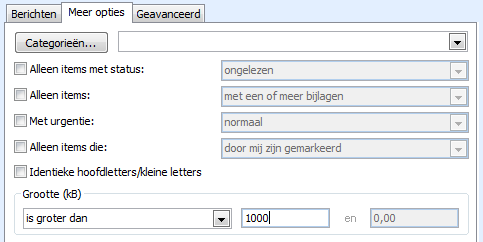
Microsoft Outlook can automatically show you the messages that are larger than 1 MB.
Procedure
- Open >> Microsoft Outlook
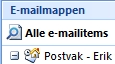
- Select your email folder
- Choose >> Tools >> Search
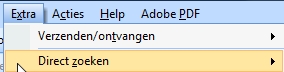
- Choose >> Search Criteria (CTRL+SHIFT+F)

- The Search Criteria screen opens
- First, set it to search in all email
- Click >> Browse

- Check >> Search in subfolders and press >> OK

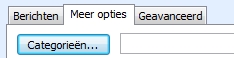
- Choose tab >> More Options
- At the bottom of this screen, under size (KB), choose >> is greater than
- Set the value to >> 1000 (1 MB equals 1000 KB)

- Choose >> Search Now
- The results appear at the bottom of the screen. Clicking the Size column header sorts the messages by size
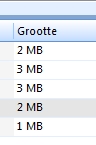
- Messages can be deleted immediately or you can double-click the message to view it first.
TIP
When you delete messages using the DELETE key, the message moves to Deleted Items. When a message is deleted using SHIFT + DEL, it is permanently deleted without going to Deleted Items. This saves a few clicks.
When Useful
This tip is useful when an entire email with an attachment can be deleted.
When Not Useful
Sometimes the attachment is stored somewhere on the network, but the email itself contains information that also needs to be kept. In that case, do not delete the entire email, only remove the attachment and save the email again.