
Downloading YouTube Videos
Watching YouTube videos on the go in the car or on a plane? Download YouTube videos to your PC and transfer them to your tablet or burn them to a DVD.

Ideal for watching your favorite YouTube videos without needing an internet connection.
The method below works well, but it takes some time to convert the videos. But that’s fine you can let it run while doing something else.
Video Instruction – Tutorial
A video is also available for this tip.

Method
First, we need the link to the video’s location on YouTube.
- Go to YouTube
- Click on >> Share

- Select the link

- Copy this link by right-clicking on it
- Or you can use the shortcut CTRL+C

- Go to the website www.clipconverter.cc/nl
- Paste the link into the field >> Media URL
- You can do this by right-clicking in the field and selecting >> Paste or by pressing CTRL+V
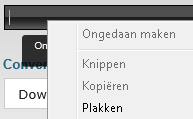
- Then click on Continue

- The media will now be checked and the available export formats will be displayed
- Select the largest format available

- Then choose the format you want to convert to

- Optionally specify from which point you want to convert the video, then press >> Start
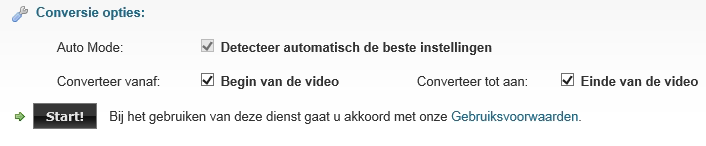
- The progress will be shown

- When the conversion is finished, you will be notified

- Information about the file will be displayed
- Click on download
- Most likely an advertisement page will appear
- You can close this page, of course

- The regular download bar will be displayed

- Choose Save as by clicking the arrow next to the save button

- The file will then be downloaded (this can take a while)
- After that, you can burn the converted video or put it on your laptop