
Excel Formula: Lowercase
When you use data in Excel that is provided from another source, it is not always in the format you want. A common example is text that is entirely in uppercase. Here’s how to convert uppercase text to lowercase in Excel.
By using this function in an Excel formula, supplied text can instantly be converted into the correct format.
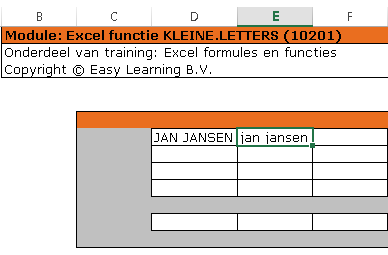
Convert text from uppercase to lowercase
- In our example, the supplied text is in cell D7
- In cell E7, the formula is entered

Download sample file
The formula explained
= Indicates that a formula is being entered in a cell.
LOWER The function used to convert text from uppercase to lowercase.
( Used to start the parameters required for the calculation.
D7 The cell from which the data is retrieved. Excel refers to this as the source.
) Closes the parameters section.