
Export email addresses from Outlook to Excel
Exporting all email addresses from a specific folder in Outlook—for example, to use in a mailing—can be done in just a few clicks.
Whether you have created a folder for everyone who subscribed to your newsletter or for another purpose, there are situations where you need a list of email addresses that only exist within email messages.
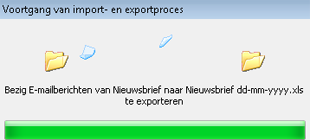
The steps below explain how to extract data from all emails in a specific folder and export it to Excel.
Video
A video is also available for this topic
Procedure: Export email addresses to Excel
- Make sure you know where the emails are located from which you need the addresses
- It is easiest to create a separate folder for this purpose
- In our example, we created a folder called “Newsletter”
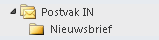
- This folder contains the email messages to which we want to send a mailing
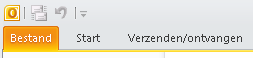
- Select the tab >> File
- Choose >> Options
- Select >> Advanced
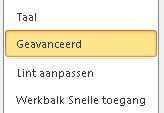
- Go to the section >> Export

- Click the button >> Export

- The Import and Export Wizard will start
- Select >> Export to a file
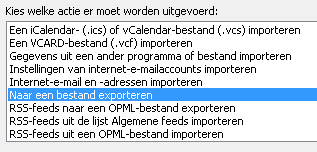
- Click >> Next
- Select >> Microsoft Excel 97-2003
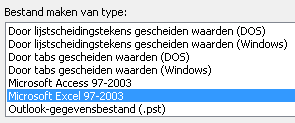
- Select the folder to export
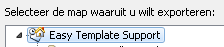
- In our example, this is the folder >> Newsletter
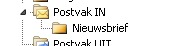
- Select the folder and click >> Next
- Select where the export file should be saved by clicking Browse
- Enter a file name
- Click >> Next
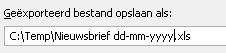
- The action to be performed is now displayed
- Using the option (button) Map Custom Fields, you can choose what to export and what not

- We usually choose all fields. The advantage is that you won’t miss anything, and you can simply ignore columns you don’t need
- Finally, click >> Finish

- The export will start
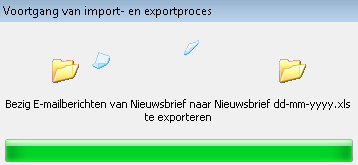
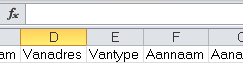
- Once the export is complete, an Excel file will be available with the exported data from Outlook
When is this useful
If people have signed up for a newsletter or event via email and you have all those emails stored in one folder, you may want to export the email addresses from that folder.
Advice
We used a newsletter as an example, but nowadays there are many useful tools available that manage email addresses for mailings. Therefore, use this method mainly for occasional cases when you need addresses that are not stored elsewhere.
Other topics
- You can use this Excel file to create a mailing with Word and Outlook