
Keyboard Shortcut: Reply to Email
Possibly the most commonly used action in Outlook: replying to an email.
Tip: A helpful memory trick — R is for Reply.
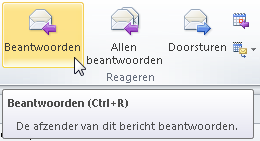
When you hover your mouse over the Reply button, Outlook shows the keyboard shortcut (CTRL+R).
Instructions
- Select the email message
- Press CTRL+R
- The email opens in reply mode
- Type your response and send the email