
Outlook Error When Deleting Folder
It’s frustrating when Outlook doesn’t do what you want. Here’s another error message and the solution.
When Is the Error Message Displayed?
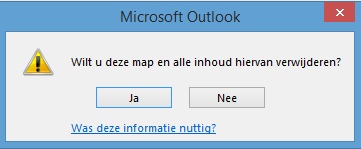
This error message appears when trying to delete a folder. In this case, the folder was already in Deleted Items, but we couldn’t remove it from there.
The Message
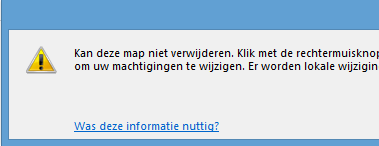
Cannot delete this folder. Right-click the folder, and then click Properties to check your permissions for the folder. Contact the folder owner or your administrator to change your permissions. There are local changes to items in this folder. You cannot delete this folder until the synchronization with the server is complete.
Cause
Outlook still thinks that the folder is not synchronized with the server.
You can check this by:
- Right-clicking the folder
- Selecting Properties
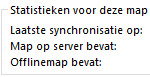
- Choosing the Synchronization tab

- Under Last Synchronized On you’ll likely see an older date
Solution
The solution is actually very simple. Move an email that can be deleted—or create one—into this folder. Wait a moment until the folder is synchronized. Then delete the folder.
Other Details
- Hosted Exchange 2013
- Outlook 2013
- IMAP connection