
Set default number of worksheets in Excel
An Excel workbook always starts with a few default worksheets. To avoid unnecessary deletions, change this default setting to just one worksheet.
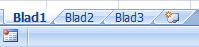
Most Excel files contain only one filled worksheet. However, Excel creates three by default, so you usually need to remove two. These extra steps can be avoided.

Excel allows you to change the number of default worksheets when creating a new workbook.
How to set the default number of worksheets
- Click the Office button

- Go to Excel Options

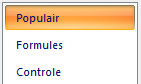
- Select Popular
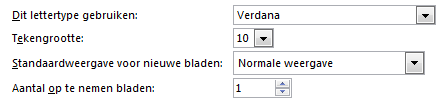
- Under When creating new workbooks

- Set the desired number of sheets in the Include this many sheets field
- In this example, we’ve changed the default from 3 to 1
- Now, every new workbook will start with only 1 worksheet
