
Set default program to edit photos
There are many programs available for viewing and editing photos. Set a default program, and your vacation photos can be sorted in no time.
Doc files are opened with Word
It’s logical that files ending in .doc open with Word. But for viewing photos, there are many more options. By setting a default program, your photos will always open in the preselected app.
Set a default program for editing photos
- Go to >> Windows File Explorer
- Select a folder that contains a photo

- Right-click on any photo file

- Then choose >> Open with

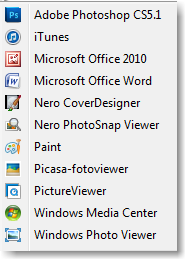
- A list of programs for viewing photos will be displayed
- Click the last option in the list >> Choose another app

- Then the available programs will be shown again
- Select the desired program, in this example we choose >> Microsoft Picture Manager

- But for quickly browsing and rotating photos, you can also use >> Windows Photo Viewer

- Important: after selecting the default program (which can always be changed later), make sure to check >> Always use this app to open this file type
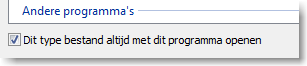
- Then click >> OK
- Your photos will now open in the selected program. You can easily scroll through them, rotate, delete, or keep them.
