
Set Indent Behavior
Set indent behavior
- Tastes may vary, but the default indentation proposed by Word is not the most elegant.
- In our case, we want all headings to start aligned left.
- We can apply this to all levels at once by clicking >> Set for all levels
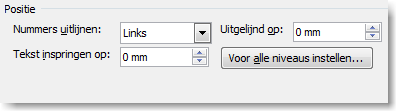
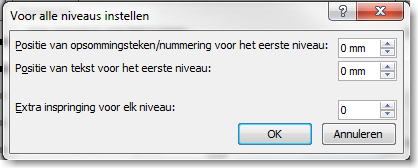
- This opens a screen with the indentation settings.
- Set all values to 0 if you want all headings to start at the left margin.
- With the option >> Add indent at each level, you can define a fixed value for incremental indentation per level.
- In our example, we chose not to use this option.
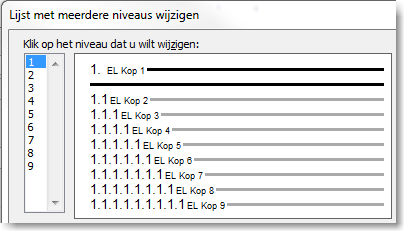
- The headings are now neatly aligned.
Steps to follow
This method consists of several steps and is intended for users who are already familiar with Word or used to working with Word templates.