Set number of worksheets in Excel
When creating a new Excel workbook, three worksheets are created by default. To avoid unnecessary deletion, you can set this number to 1.
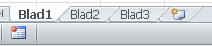
Most Excel files that are created consist of only one populated worksheet. Since Excel creates three by default, you would need to delete two of them. These extra steps can be avoided.

In Excel, you can configure how many worksheets are created by default when creating a new Excel file.
Sample file
Procedure to set the number of worksheets
- Click >> File

- Select >> Options

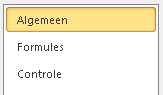
- Select >> General
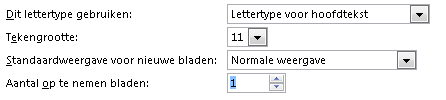
- Go to >> When creating new workbooks

- Under >> Include this many sheets, set the desired number of worksheets
- In our example, we entered 1 instead of 3
From now on, only one worksheet will be created when a new file is created