
Set Up Numbering for Chapter Headings
How to Set Up Numbering for Chapter Headings
- Now we need to configure the numbering for each level individually.
- Click on Level 1 again.

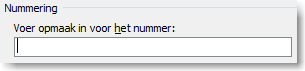
- Clear all formatting in the “Enter formatting for number” field.
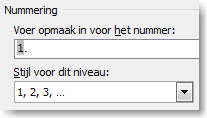
- Under “Number style for this level,” select “1, 2, 3, …”.
- Then type a period (or not, depending on your preference).
- For the other levels, repeat the same steps but make sure to specify which previous level’s number should be included.
Steps to Follow
This procedure consists of several steps and is intended for users who are already familiar with Microsoft Word or who regularly work with Word templates.