
Send Part of a Document as a PDF
You want to send part of a document by email, but when you copy and paste, the formatting gets completely messed up. Here’s the solution.
We’ve already covered sending documents as a PDF, but for large reports, that’s not always practical.
In Word 2010, you can also send part of a document as a PDF. The advantage is that the formatting remains exactly as you set it in the document.
Sample File
In this example, we use a quotation for creating Word templates. The document contains multiple pages, while we only want to send the section about the input form.
Instruction Video
You can find a video of this tip on our YouTube channel.

How to Send Part of a Document as a PDF
- Open the Word document containing the text
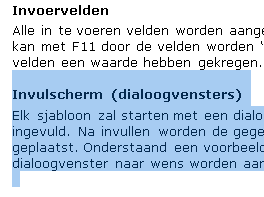
- Select the text you want to send as a PDF
- Go to >> File

- Click >> Save As

- Word will suggest the file name and file type of the open document. In our example, this is a Word document.
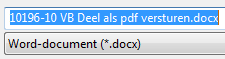
- Change the file type from Word Document to PDF
- Click the dropdown arrow in that field and select PDF

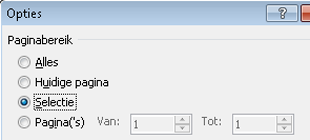
- By default, Word will save the entire document as a PDF, but we only want to save the selected part
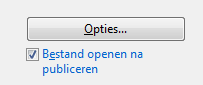
- Below the file name field, click the >> Options button
- Click this button
- In the window that appears, change the page range from >> All to >> Selection
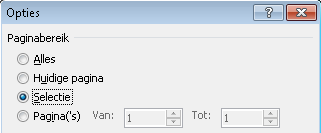
- Click >> OK
- Then click >> Save

- The selected text is now saved as a PDF file, which you can send by email