logo
logo
0
  • Home
  • Tips & Trucs
    • Facebook
    • Google
    • Internet Explorer
    • iphone
    • Microsoft Office
      • Excel 2010
      • Outlook 2010
      • Word 2010
      • Excel 2007
      • Outlook 2007
      • Word 2007
    • Windows
    • Youtube
  • Courses
  • Shop
  • About
  • Contact
  • Mijn account
  • Shopping Cart
  • Home
  • Tips & Trucs
    • Facebook
    • Google
    • Internet Explorer
    • iphone
    • Microsoft Office
      • Excel 2010
      • Outlook 2010
      • Word 2010
      • Excel 2007
      • Outlook 2007
      • Word 2007
    • Windows
    • Youtube
  • Courses
  • Shop
  • About
  • Contact
  • Mijn account
  • Shopping Cart

Home » Outlook 2010 NL tips » Page 2

Outlook 2010 NL tips

Labels in Word 2010

Outlook 2010 NL tips Word 2010 NL tips

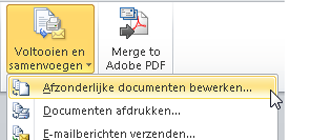
Creating labels in Word from Outlook Contacts is really easy with this work instruction.

Schedule Email Delivery (Outlook 2010)

Outlook 2010 NL tips

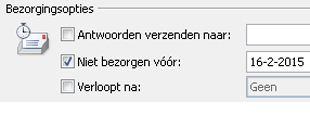
Most email messages are sent immediately. In some cases, however, you might want to decide yourself when the email should be sent.

Display Gmail Account in Outlook

Outlook 2010 NL tips

Use Gmail for your shared calendar

Outlook Tip: Show Messages from Conversation

Outlook 2010 NL tips

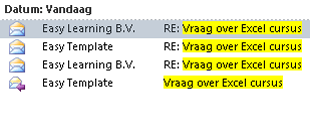
We’ve been mailing back and forth. How can you keep all messages from the same conversation (subject) neatly together?

Clean Up Outlook: Set an Expiration Date

Outlook 2010 NL tips Software tips

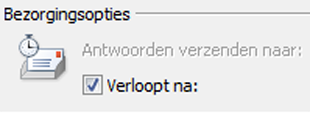
Assign expiration dates to email messages and periodically delete all expired ones.

« 1 2

Receive more free and handy tips & tricks?

Sign in for our newsletter. We will sent you more practical tips and tricks.

Custom card widget

If there is a link set: then the image, title and text should be clickable. This should work the same for normal post cards too.

Contacts by Company

Outlook Software tips

As the number of stored contacts in Outlook increases, the overview becomes less clear. By default, Outlook displays contacts in the Business Cards view.

Voor particulieren (example menu)

  • Word sjablonen
  • Excel sjablonen

Custom HTML/text

Registreer eenvoudig ziekteverzuim met dit Excel sjabloon. Zie: ziekteverzuim in Excel

  • Bullet list item example
  • Bullet list item example
  • Bullet list item example
  • Bullet list item example
  • Bullet list item example

Kopvoorbeeld 1

  • Hoe werkt het
  • Voordelen van online training
  • Veelgestelde vragen

Cursussen

  • Excel cursussen
  • Word cursus – basis
  • Outlook tips &trucs
  • Excel formule cursus

Voor bedrijven

  • Word sjablonen
  • Excel sjablonen

Voor particulieren

  • Word sjablonen
  • Excel sjablonen

Alles op een rij

  • Contact
  • Support
  • Nieuwsbrief
  • Privacy statement
This website uses cookies to improve your experience. We'll assume you're ok with this, but you can opt-out if you wish. Cookie settingsACCEPT
Privacy & Cookies Policy

Privacy Overview

This website uses cookies to improve your experience while you navigate through the website. Out of these cookies, the cookies that are categorized as necessary are stored on your browser as they are essential for the working of basic functionalities of the website. We also use third-party cookies that help us analyze and understand how you use this website. These cookies will be stored in your browser only with your consent. You also have the option to opt-out of these cookies. But opting out of some of these cookies may have an effect on your browsing experience.
Necessary
Always Enabled
Necessary cookies are absolutely essential for the website to function properly. This category only includes cookies that ensures basic functionalities and security features of the website. These cookies do not store any personal information.
Non-necessary
Any cookies that may not be particularly necessary for the website to function and is used specifically to collect user personal data via analytics, ads, other embedded contents are termed as non-necessary cookies. It is mandatory to procure user consent prior to running these cookies on your website.
SAVE & ACCEPT